The one with an overbuilt solution…

Then there was the one about the overbuilt-solution.

We were a “Microsoft Shop”. Windows NT4 was in full-swing. Virtualization was in its infancy.

Leadership discouraged the exploration of “best of breed” solutions. Making things more useful by simplifying them wasn’t permitted. This often meant that the alternative was interpreted as “not Windows.”

Windows was “the only solution”.

One of the applications that was needed was something to translate the incompatible line-endings of submitted text files from a particular customer into something that Windows could read.

I knew this would be as simple as a cron job to trigger a periodic unix2dos command. It’s a built-in command. Trivial for a low-priority utility box. And because it was coming from a customer’s *nix system, that command could even be injected quite harmlessly into their workflow so it happened before it was even sent to us.

“Impossible!” leadership would howl.

Rather than ensure it’s done before transfer, we’ll do it after. We’d also encounter the cost of this particular server sitting entirely idle except for the two times per day (about 1/2 second each) that it would have to do it’s assigned job. It couldn’t be tasked with any other process or job because, in those days, a server was assigned one task. This went far beyond company policy and was engrained in the very thinking — the cultural belief in IT fields.

So, we did it the enterprise way because “that’s the way it’s always been done.”

  • Select hardware, because virtualization was such a new concept (several years by that time) that it couldn’t be trusted.
  • Buy a new server, for about $3k with a suitable onboard RAID-1, dual NICs, dual-power, dual-CPUs. It’ll draw about 100 watts at idle. Always. It will occasionally run a bit higher than that, but it’s practically idle. All the time.
  • Wait about two months for the servers to arrive.
  • Buy a Windows license.
  • Buy a patching license.
  • Double it (again) because policy would require redundancy. They’ll need to be installed in pairs at least per environment.
  • Another thing policy would require is that equal hardware must also then be deployed to Staging and Prod environments. That results in deployment of six servers, minimum.
  • Ensure we have physical space and capacity in the datacenter to support those six servers — because policy — so, that’s the maximum possible load of 230w each, times six.
  • And that’s beyond the unprovisioned $24k hardware cost.

Don’t forget to ensure it’s included in the security/patching list.

And update the inventory list. Because we’ll also need to dispose of it in five years’ time.

Y’know, spending all of that time making the assorted “impossible” claims will really irritates people who are already doing the impossible.

“Challenge accepted.”

So we did it the more efficient way. A simple unix2dos command on an already-existing, low-priority Linux utility VM. Yep, we managed to sneak one of those in. Two, actually. And it ran flawlessly for several years. And it was low priority. If something else needed resources, it would happily step entirely out of the way and wait.

As I recall, it was literally:

unix2dos -k ${filename}

Actually, it was stuck in crontab, so it was very slightly more complex.

Line-endings wouldn’t be an issue today, of course. Operating systems thankfully are graceful enough to ignore certain low-level encoding limitations.

Mostly.

One Read/One Write – Isn’t the whole story…

Not many years ago (dial-up days… dark times) we taught “Click save” for all of your important data.

Our current technology has evolved to the point, thankfully, where Save (or, worse, Save/Apply/OK) simply isn’t necessary anymore.

So back in the dial-up days, whenever one of our customers would have Finals-Week (many of them, around the same time each evening for about two or three weeks) students would all take their assorted three-hour exams at the same time.

Hundreds of colleges and universities. Each with thousands (or more) students. At around the same time each night during a two or three-week window. There could easily have been 200,000 or more taking their exams.

Consider the then mindset — we’d spent, by that time, decades teaching, “Click Save!”

You see, they (students, faculty, administration, developers) didn’t trust the database. The same database that housed every aspect of their identity, course list, the course content itself. Everything.

Sure, it had redundant power, network, CPU, disk — everything. Any conceivable hardware failure had redundancy.

But they didn’t trust this mysterious “database” thing.

They wanted — insisted on — a “just in case” solution.

Consider the introductory statement above. This, of course, led to, “What if we give them a Save button on the page?!”

Sure, it already had a Save button, which triggered a write to the DB and a refresh of the page. But it evolved: we also had it write their exam to a flat file.

Just in case.

It’s just one read, and one write, after all. It wouldn’t generate any extra load. Besides, “doing it right” would take too much work. Having something that saved with every click? Too much work.

Now, envision having 200,000 students all clicking “Save” every 30 seconds or so all during a three hour window.

The DB handled it just fine. It barely broke a sweat.

Even though we then tasked it with something more than just “update the database”. So, when somebody clicked Save, we’d have it:

  1. write to the DB, then…
  2. connect to storage
  3. check the reference table to then check the right folder
  4. check that folder’s file count
  5. wait while storage reported the number of objects
  6. create a new directory if the current one had too many objects
  7. update the reference table then
  8. write a plain-text copy of that user’s exam
  9. respond to the Save request by with a page refresh

It’s just one read, one write. What could go wrong?

Now, do it all, 200,000 times. Every 30 seconds.

Oh, and as the number of files grew in that folder, it would take longer… and longer… and longer just to see if it needed to move. In fact, it would actually result in those storage devices dropping offline because they were so busy checking to see what the directory’s object count was.

So, it was reported as “one read/one write” every 30 seconds, which sounded trivial enough. That became a bit less trivial when it’s multiplied by 200,000 students doing the same every 30 seconds and the time increases as the file count does.

It turned out that the helpful “fix” was entirely self-inflicted. It began with very premise that the DB wasn’t trusted. This was both compounded and complicated by a few misunderstandings and misrepresentations of the nature of the data and how data moves around.

All because somebody didn’t trust a database and it was just “one read/one write”.

The database? It didn’t have any problems at all. Well, it did every now and again, but that’s not the point of this particular rant.

The time needed to been spent more meaningfully by educating customers about the reliability of these new-fangled “compuserves“, “interwebz“, and “databasing” things.

And to make it just one read/one write, that Save button would’ve had a more meaningful job of doing nothing new any more complex than simply updating a database and refreshing the page — well, that, and perhaps reducing the risk of the student’s internet connection timing out.

Checkpoints

Several weeks ago, I mentioned that I was nearly healed from a rather aggressive infection.

So, this is a bit of an update of a few of the items I was hoping to make some traction on:

-a work trip… Done and done.

Yes, we do tend to end up at meals out.

-rebuilding the primer/fuel filter assembly on the truck. Done.

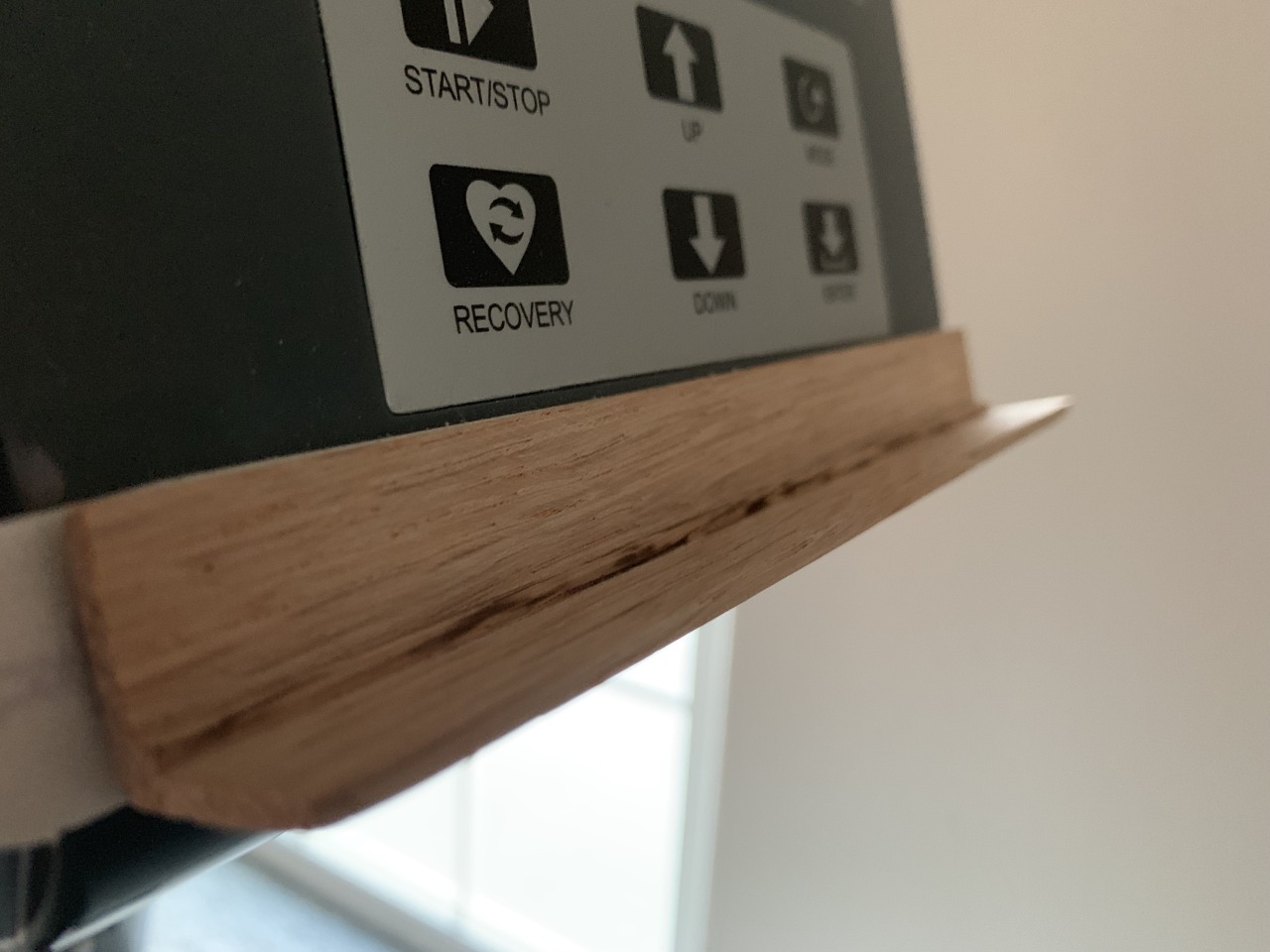
-getting a mount/ledge assembled for my exercise bike. Done.

No idea why, but this particular bike doesn’t have a ledge of any kind on which to rest a book. Now it does.

-actually -using- said exercise bike (I nearly have the strength to do very brief rides). Done; and ongoing.

-rearranging my office. Need to rearrange it every now and again until I find something I like. Done. I rather prefer this particular layout.

-several more complex carpentry projects—think “furniture”, of course.

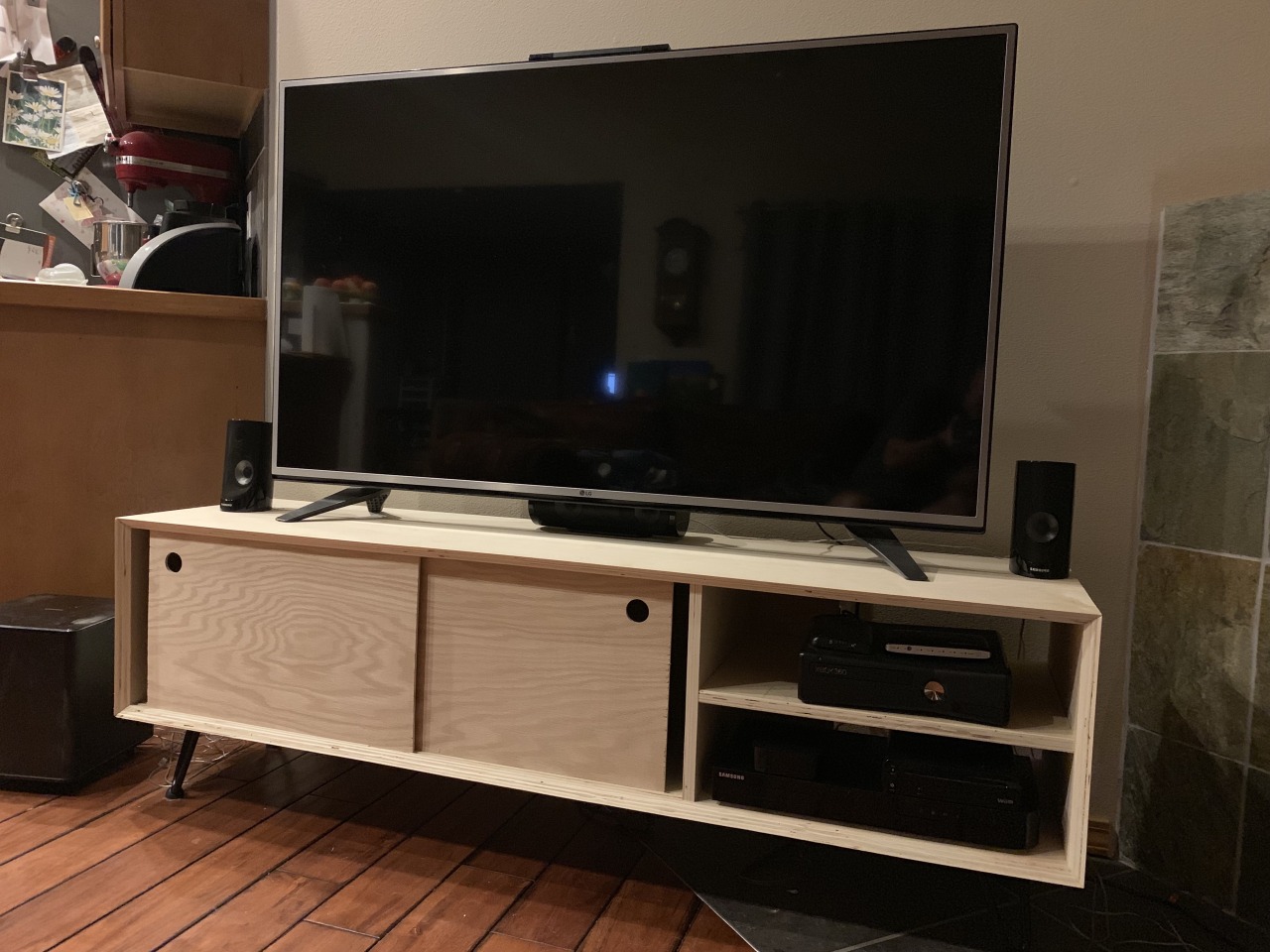
Eh, there’s the TV stand that I cobbled together from some spare, shop-grade 3/4″ plywood.  It was really a “How will I do? What changes will I make? To me? To it?”

-there’s a sailboat in need of being built—to say nothing, of course of the neglected sailboat whose hull needs to be reglassed. Yeah, no traction on either of those.

-wood floors need to be installed in the house. Nor on this.

-oh, and we’ll need to do a bit of house-hunting in a nearby, but much larger city. Yeah, about that: Looking is one thing. The next steps are selecting and making an offer, which can only happen after we do the same with our house.

…but what do you DO?

While I’ve spent pretty much the entirety of the last five or six months recovering and coping with my severe TBI, I sometimes have questions from people, “…but what do you do for a living?”

[I was a Principal Operations Engineer for Pearson. We were pioneering a legacy integration with an established containerization concept with modern/updated technologies like Linux, Docker, Kubernetes, and AWS. There are others of course. And I’d love to talk about the visions we’d had for the future of learning.

In fact, there’s also a Kubernetes case study outlining the figures of how we’ve integrated the Kubernetes orchestration concepts. Give it a read over if you’re curious about where we were.

While I was a principal engineer and lead site reliability engineer, I’m now an architect overseeing the same project sharing the responsibility with Ben, trying to bring our visions into clearer focus for ourselves, our team, Pearson, and the world.] [why the redaction, 2022-06-18]